Vivimate IPTV on Android phone or tablet — setup guide
Vivimate on Android is the quickest setup there is. The player is a normal Play Store install, no developer mode, no sideloading. Install it, paste in the Vivimate details we send, done. The same login carries over to your TV later if you want.
Install TiViMate
A normal Play Store install, the same as putting any other app on your phone.
- 1
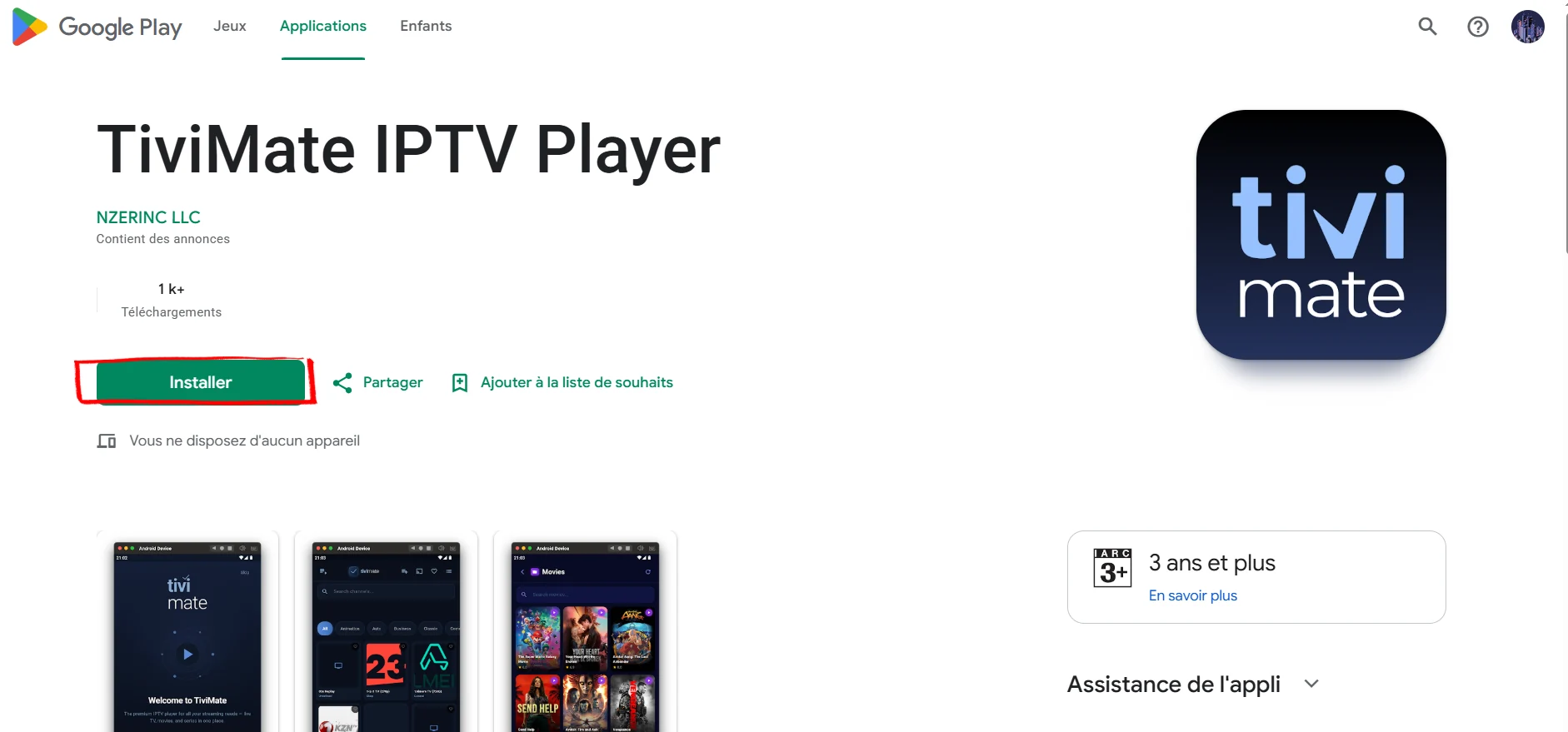
Install TiViMate from Google Play
Open the Play Store, search "TiViMate IPTV Player" and install the one by NZERINC LLC. It runs on any phone or tablet on Android 5 or newer.
Add your Vivimate playlist and watch
Paste in the details we send you. TiViMate builds the channel list and the guide on its own.
- 2
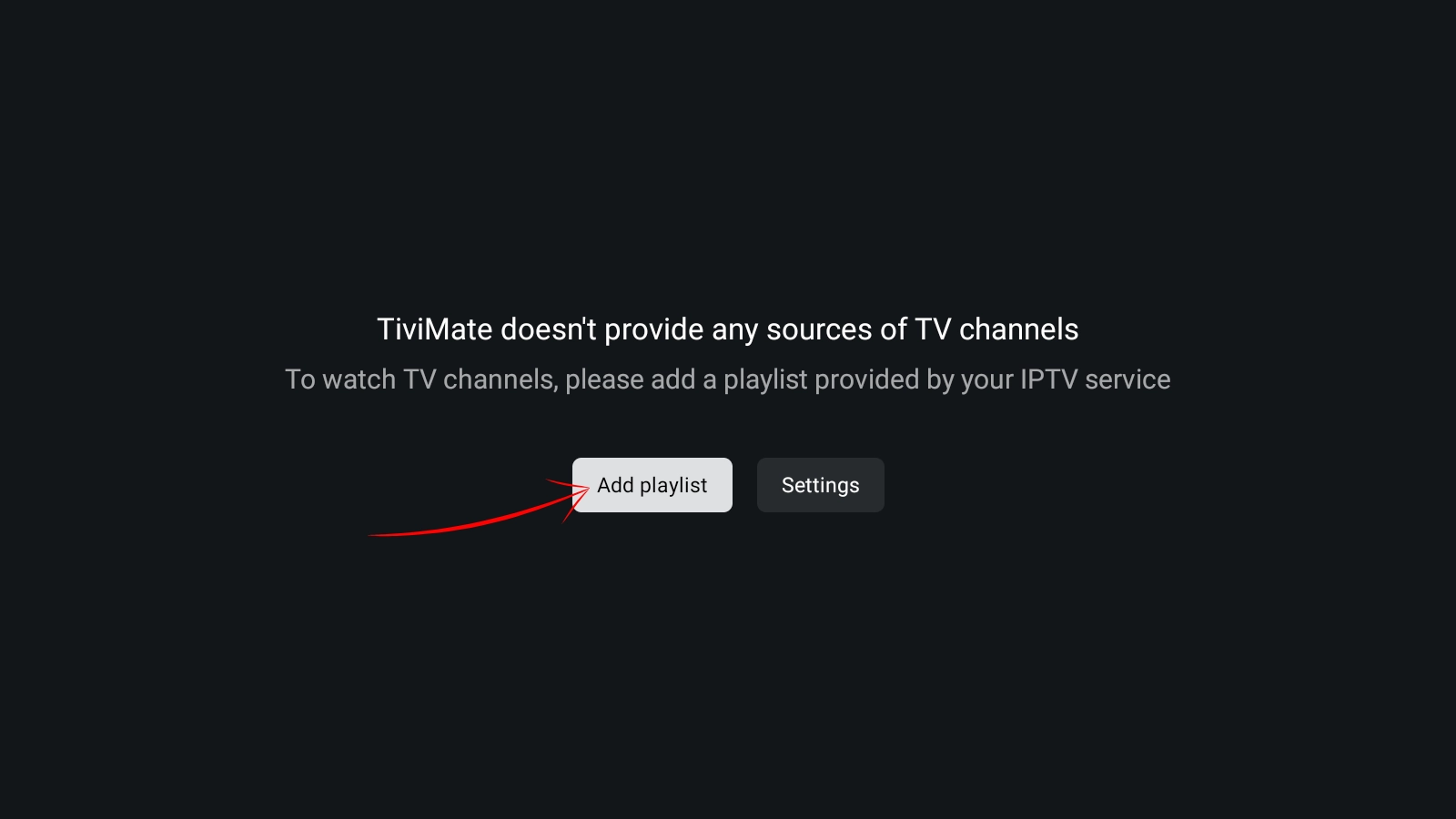
Tap Add Playlist
Open TiViMate. It tells you it has no channels of its own, which is normal for a player. Tap Add Playlist to connect your Vivimate subscription.
- 3
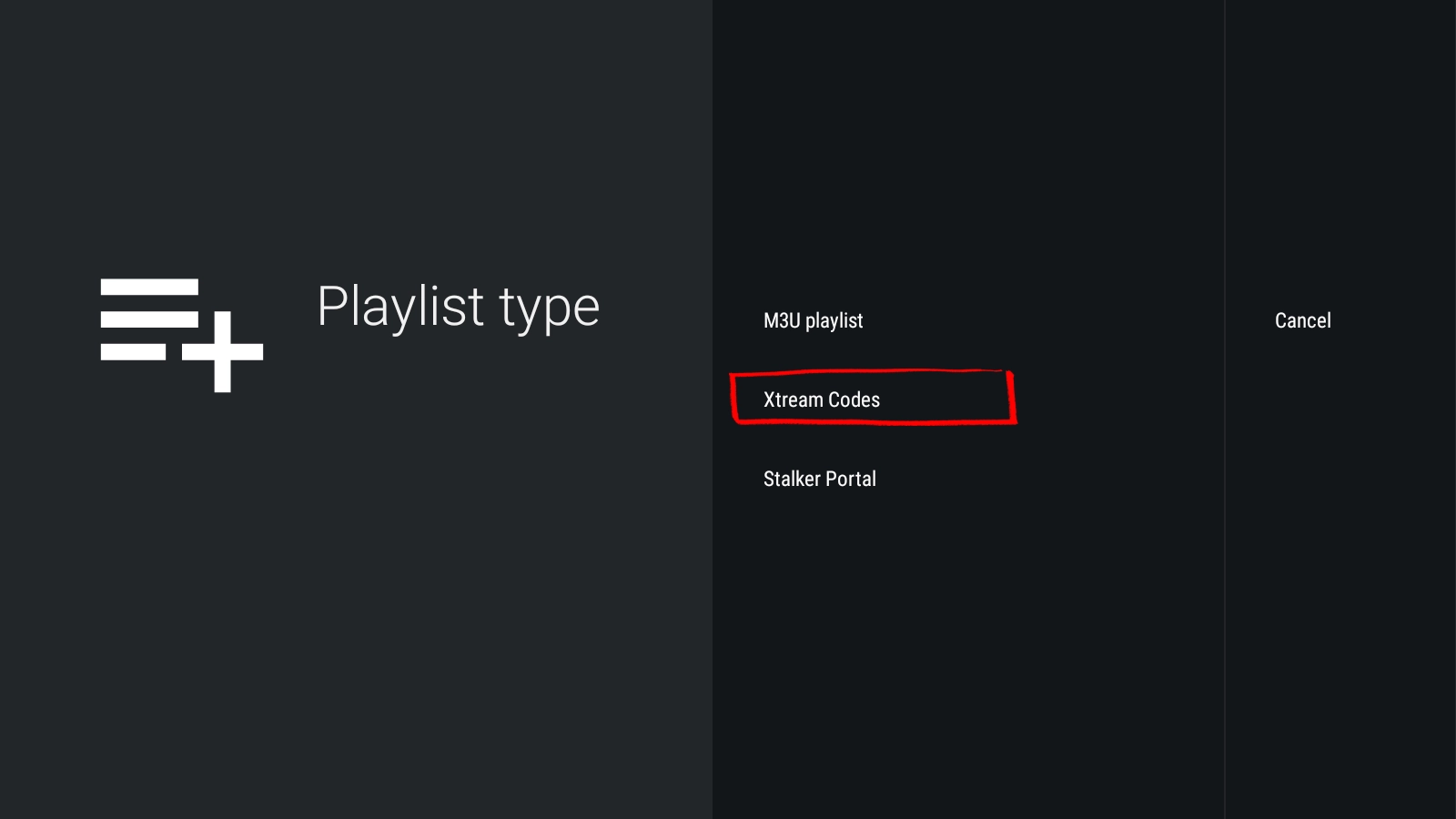
Choose your playlist type
Pick the type that matches the details we sent you. Most people use Xtream Codes, which is a server address with a username and password. If you only have an M3U link, choose that.
- 4
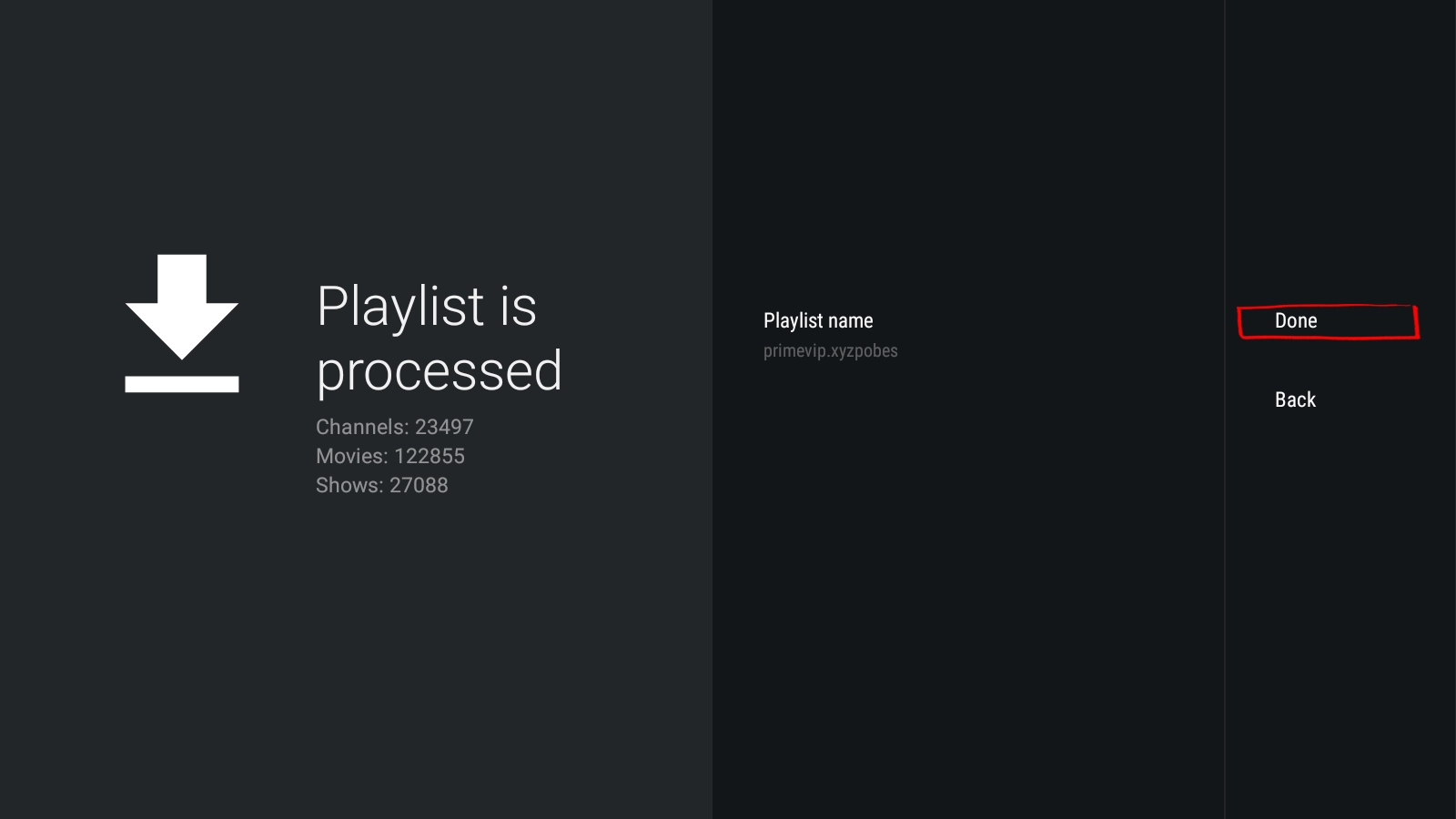
Enter your details and let it load
Type in the Vivimate details we sent, tap Next, keep Live TV and VOD ticked, then Done. TiViMate processes the list and builds your channels. Tap Done and you are watching.
How to set up TiViMate Premium
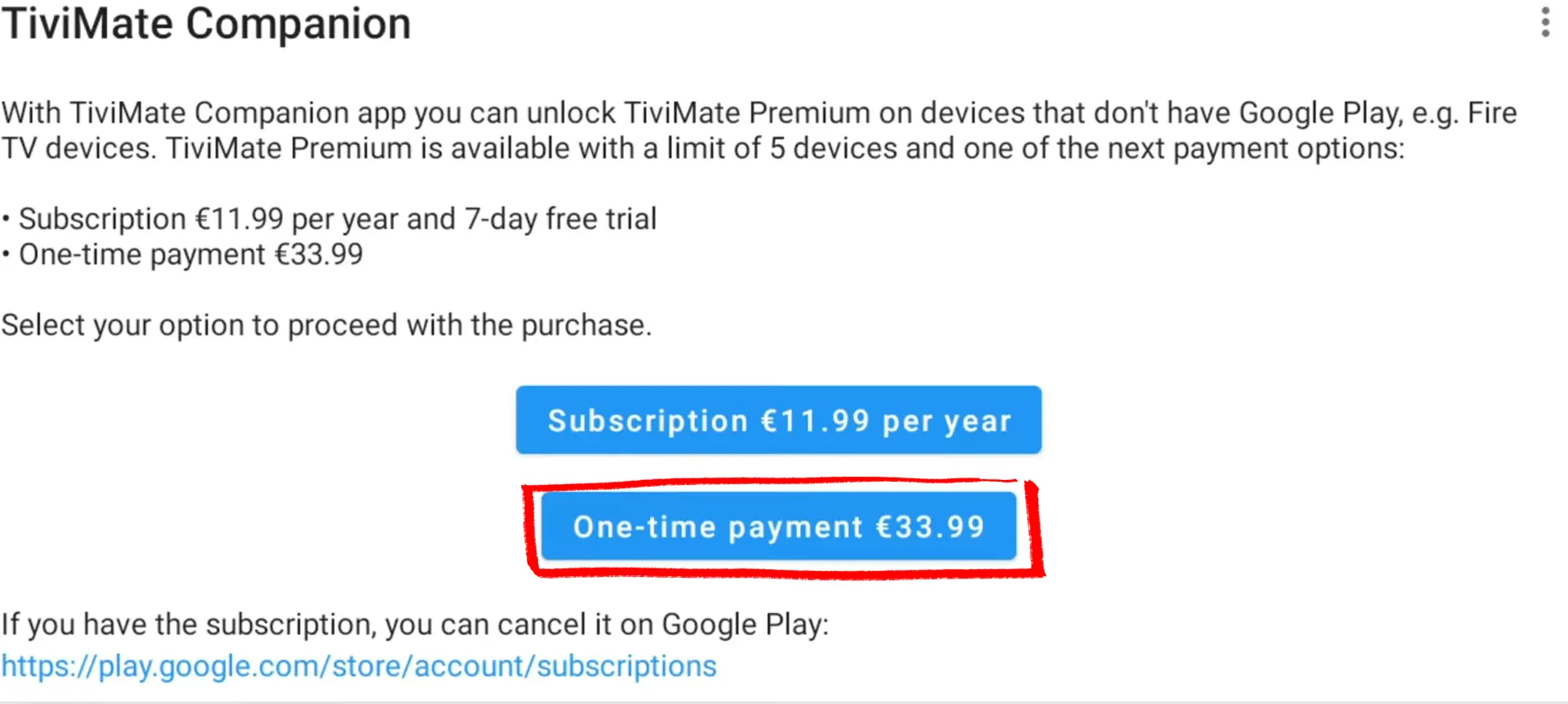
Free gets you in and playing, but you hit walls fast. The guide shows up empty, EPG settings are locked, and the app skin is fixed. Anything beyond basic playback (a second playlist, recordings, multi-view) needs Premium. You pay TiViMate directly, not us. Here is how to get it set up.
Billed once a year. A good starting point if you're not sure you'll use the extra features long-term.
Cheaper than four years of the annual plan. One payment, no renewals, locked in if the price goes up.
A single licence works across up to 5 devices.
How to get TiViMate Premium
- 1
Get your licence on tivimate.com
Head to tivimate.com and create a free account if you don't have one. Pick Annual or Lifetime and check out.
- 2
Activate on your Android phone
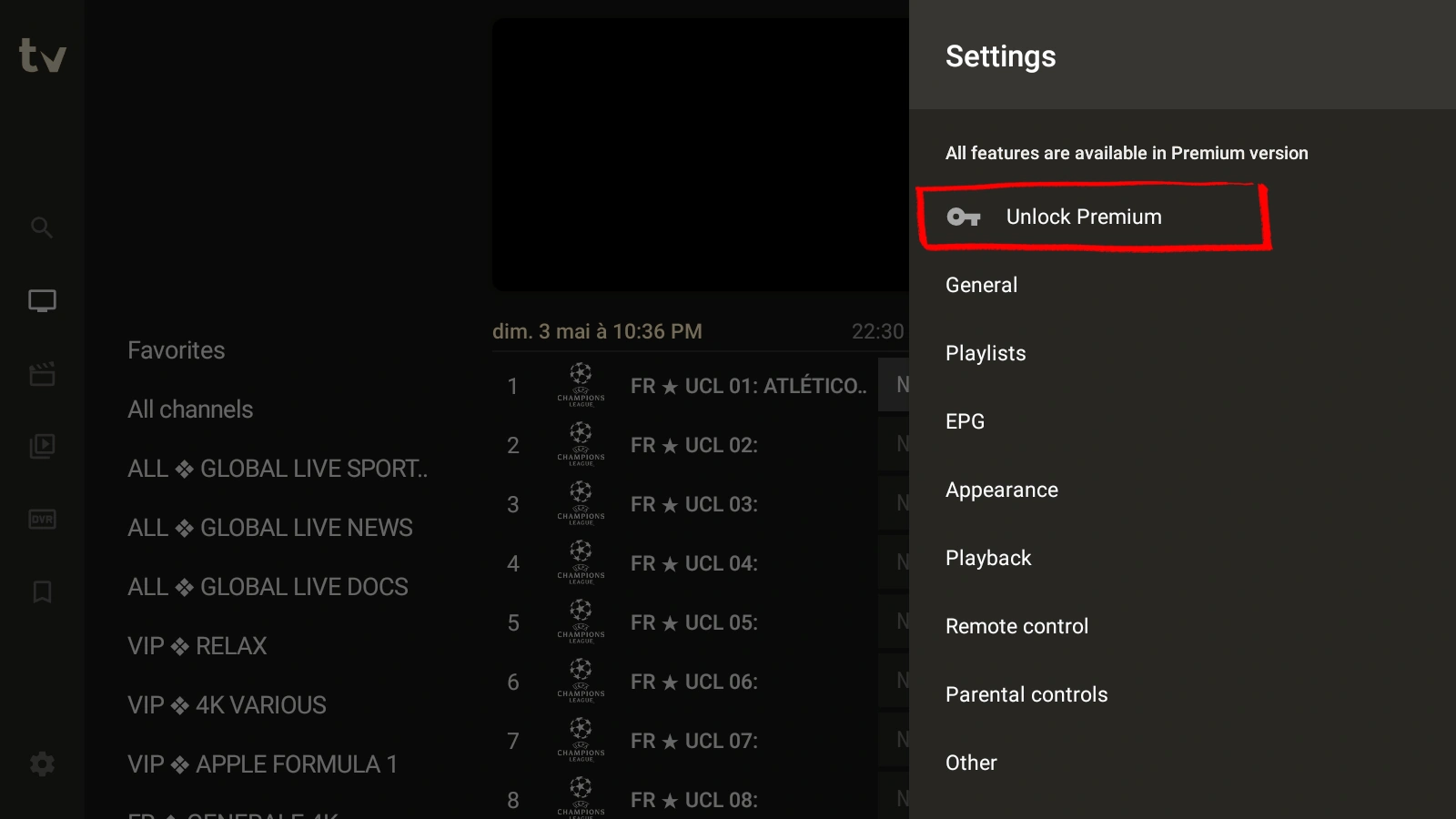
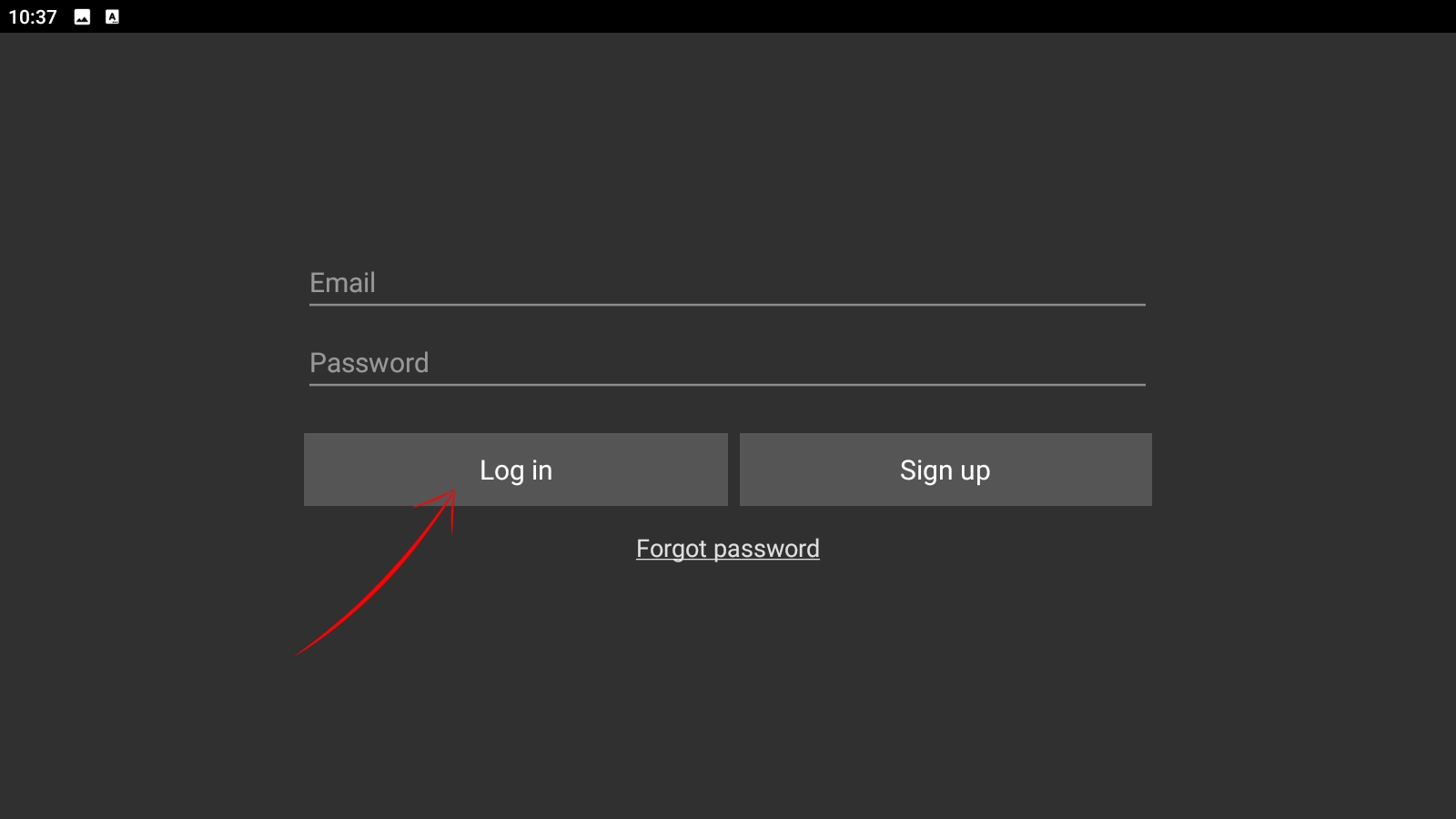
In TiViMate on your Android phone, open Settings and tap Unlock Premium. Enter your tivimate.com email and password. That's it, Premium is live.
Your device is ready. Add the channels.
12,000+ live channels and 40,000+ on-demand titles, one price, no auto-renewal.
Setting up on another device?
Same playlist, a different screen. Pick the one you're using.
Got a question while setting up?
Message us your device and what you're seeing. We'll sort it, no charge.