Best US IPTV Services Reviewed 2026
Best US IPTV options ranked by channel quality, reliability, and price. Compare top providers and find the right plan for live TV and sports in 2026.
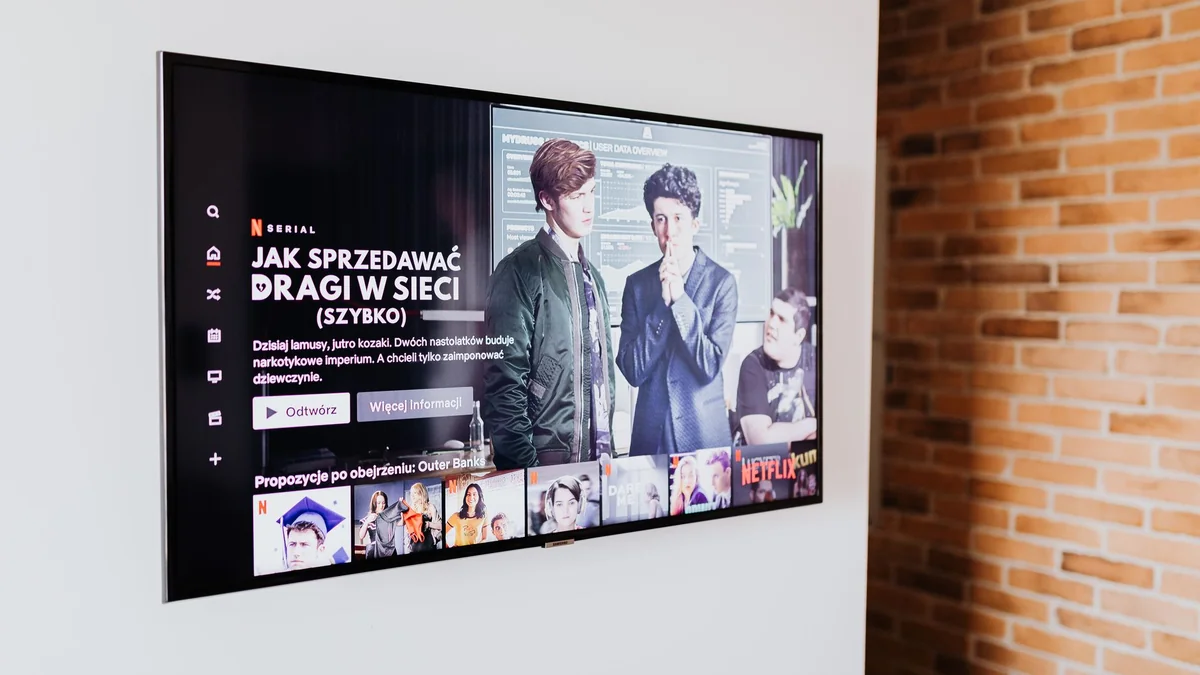
Picking the best US IPTV service comes down to three things that actually matter: channel coverage that includes US locals and sports, streams that hold up under pressure, and a provider with legitimate broadcast licenses. Get all three right and you have a real cable replacement. Miss on any one of them and you are back to troubleshooting at 8 PM on a Sunday, or worse, you are using a service operating in legal grey territory with no accountability when it falls apart.
If you want to skip the research, Vivimate is a licensed provider worth looking at early. It covers US channels, sports, and on-demand content without the reliability headaches that tend to follow unlicensed services.
What makes a provider the best US IPTV option
Channel count alone is a poor guide. Plenty of providers advertise 20,000 or 30,000 channels, and that number is basically meaningless. What actually matters is whether the specific channels you watch are in there and whether they stream cleanly at the hours you need them most.
Here is what separates a good US IPTV service from a mediocre one:
US local channels. ABC, NBC, CBS, and FOX affiliates for your region matter for live sports, local news, and major events. Not every provider covers all markets. Confirm your city is included before you pay.
Sports coverage. NFL, NBA, MLB, NHL, and college sports are the make-or-break categories for most US subscribers. Check whether the provider actually carries ESPN, FS1, TNT, and regional sports networks, not just whether it lists them somewhere in the fine print.
Stream stability. A channel that buffers every ten minutes during a playoff game is not a usable channel. The real test is stability at peak hours: Sunday afternoons for NFL, playoff weeks for NBA and NHL. Anyone can stream smoothly at 2 AM on a Tuesday.
Licensing. Licensed providers pay rights holders. Unlicensed ones do not, and that creates legal exposure for you as the subscriber along with zero accountability when the service degrades. This is not a minor footnote.
Device support. Firestick, Android TV, Apple TV, smart TVs, and web browsers should all be covered. At minimum, a solid provider delivers an M3U playlist compatible with TiviMate and IPTV Smarters.
Best US IPTV providers to consider in 2026
The list below focuses on providers with demonstrated consistent performance for US viewers. Treat this as a starting framework. New providers appear regularly, and the landscape shifts.
Vivimate
Vivimate is a licensed IPTV provider with a channel lineup covering US locals, sports networks, and a large on-demand library. It supports Firestick, Android TV, smart TVs, and more. Licensing is stated upfront on its site, which is worth confirming directly before you subscribe.
What to look for beyond the big names
Smaller providers sometimes deliver solid performance for specific needs. A service focused on Spanish-language content, for example, may cover Univision and Telemundo more reliably than a general-purpose provider. International sports fans may want something that carries LaLiga or Premier League rights alongside NFL coverage.
The best US IPTV service for you is the one that covers your specific channels reliably, not the one with the longest channel list in a marketing PDF.
How to test a US IPTV service before committing
Most reputable providers offer a free trial or a short-term subscription option. Use it properly, not just to click around for five minutes.
Test the channels you actually watch. If you care about Sunday NFL games, test during a live game. If you watch late-night local news, check affiliate streams after 10 PM. Watch for at least 30 continuous minutes, because brief tests miss the buffering that kicks in once a server gets loaded. Also send a question to customer support during the trial and pay attention to how long a useful answer takes. If support is slow before you have paid, it will not improve after.
Pricing: what US IPTV actually costs
Monthly plans for established providers typically run between $15 and $30. Annual plans bring the per-month cost down, sometimes by a meaningful amount. Multi-connection plans exist too, letting you stream on two or three devices at once, which matters for households with more than one person watching.
Be cautious of providers charging well below $10 per month with no clear explanation of how they sustain operations. That price point usually signals unlicensed content, infrastructure that cannot handle real load, or a service that quietly disappears after a few months.
Watch for hidden fees. A transparent provider lists the full cost at checkout, including any setup fee, and does not bury renewal terms in small print.
Setting up US IPTV on Firestick and smart TVs
Setup varies slightly by provider, but the general process is consistent.
Firestick: Install TiviMate or IPTV Smarters from the Amazon Appstore. Your provider will supply an M3U URL or Xtream Codes login. Enter those credentials in the app, let it load the playlist, and you are watching live TV within a few minutes.
Android TV: The same apps available on Firestick work on Android TV. The setup process is identical.
Smart TVs (Samsung, LG): Built-in IPTV app support varies by model and year. If your TV does not support a third-party IPTV app natively, a $40 Firestick or Android TV box solves the problem immediately.
Apple TV: Options are more limited because Apple restricts sideloading. Look for providers with an App Store app, or confirm compatibility with apps like GSE Smart IPTV.
One practical note: connect your streaming device via ethernet if you can. Wired connections cut out the interference that causes buffering on otherwise fast Wi-Fi setups.
Frequently asked questions
Is IPTV legal in the United States?
IPTV itself is legal. The legality depends on the provider. Licensed providers pay for the rights to broadcast channels. Unlicensed ones do not, and using them puts you at risk. Always verify that a provider holds the relevant broadcast licenses before subscribing.
What internet speed do I need for US IPTV?
For HD streams, 15 Mbps is a practical floor. For 4K content, 25 Mbps or higher keeps buffering out of the picture. If you run multiple streams at once, multiply accordingly.
Can I use IPTV on a Firestick?
Yes. Most US IPTV providers supply an M3U playlist that works with apps like TiviMate or IPTV Smarters on Firestick. Some providers also have their own dedicated app available through the Amazon Appstore.
Do US IPTV providers carry local channels?
The better ones do. Look specifically for NBC, CBS, ABC, and FOX affiliates in your region. Not every provider covers all local markets, so confirm your city is included before you pay.
What is the difference between a monthly and annual IPTV plan?
Annual plans cost less per month but commit you upfront. A monthly plan costs more overall but lets you walk away if quality drops. If you have never used a provider before, start monthly or take a free trial first.